
tutorial_1-defining_inputs
Tutorial 1 - Defining inputs
Page 3 of 5
In this lesson we will assign values to parameters and lookup tables.
Assigning parameter values
- Open the blocks window by selecting Window | Blocks from the menu bar.
- Select Parameter from the type drop down list in the title bar, located next to the search field.
- The table now lists all parameters of the model. Like with the expression blocks of the previous lesson, you can either right-click a parameter and choose Edit from the pop-up menu or directly assign a value in the table.
- Assign the following parameter values:
| Parameter | Value |
|---|---|
| Salary | 210 |
| Rent | 42 |
| TaxRate | 0.43 |
Assigning values to Fees
Time depending inputs are represented by lookup table blocks. You cannot enter time-dependent values directly in the blocks window, but must do so by editing the object.
- Open the blocks window by selecting Window | Blocks from the menu bar.
- In the Type drop-down list, select LookupTable. Now only lookup table blocks are shown in the table.
- Right-click the lookup table named Fees and choose Edit from the pop-up menu.
- Select the Values tab. Select Use Input Nearest from the Interpolation drop down list.
- The first column of the table is for time-points and the second is for values.
- Enter the following data:
| Time | Amount |
|---|---|
| 0.0 | 3000 |
| 31.0 | 3000 |
| 59.0 | 3400 |
| 90 | 2500 |
| 120 | 3100 |
| 151 | 2300 |
| 182 | 0 |
| 212 | 0 |
| 243 | 0 |
| 273 | 3900 |
| 304 | 5900 |
| 334 | 2100 |
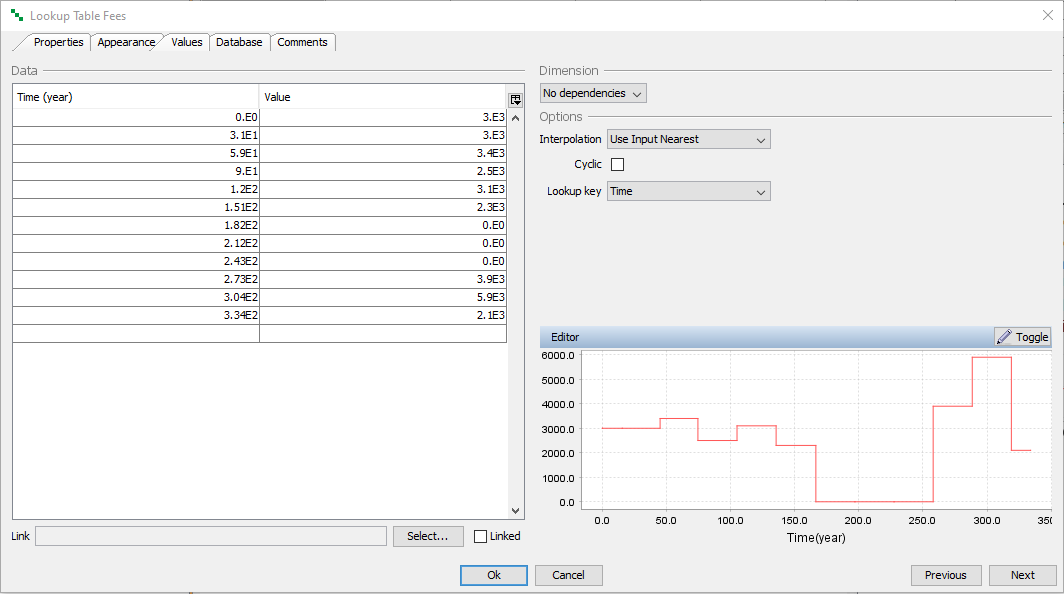
Click Ok to close the window.
Assigning values to Sales
Follow the same procedure as above, and assign the following values to Sales:
Interpolation = “Use Input Nearest”
| Time | Amount |
|---|---|
| 0.0 | 5300 |
| 31.0 | 0 |
| 59.0 | 0 |
| 90 | 10 |
| 120 | 0 |
| 151 | 8050 |
| 182 | 0 |
| 304 | 150 |
| 334 | 1900 |
Next
Previous
References
tutorial_1-defining_inputs.txt · Last modified: by Boris Alfonso