
tutorial_2-creating_transfers
Tutorial 2 - Creating transfers
Page 3 of 7
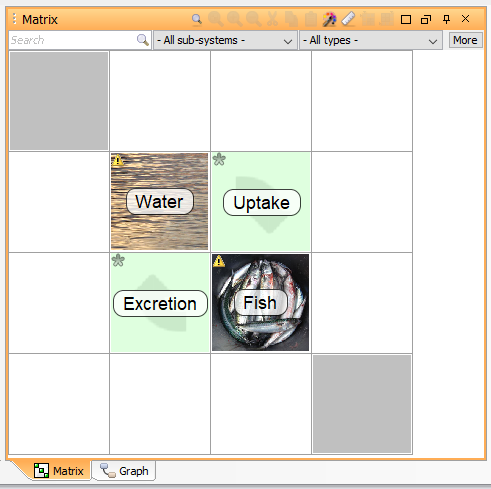
In this lesson you will define the rate of transfer between the two compartment blocks by connecting them with transfers.
Creating the uptake transfer
Right-click the off-diagonal cell in the Interaction matrix which is on the same row as the Water Compartment and in the same column as the Fish Compartment. Select Transfer from the pop-up menu.
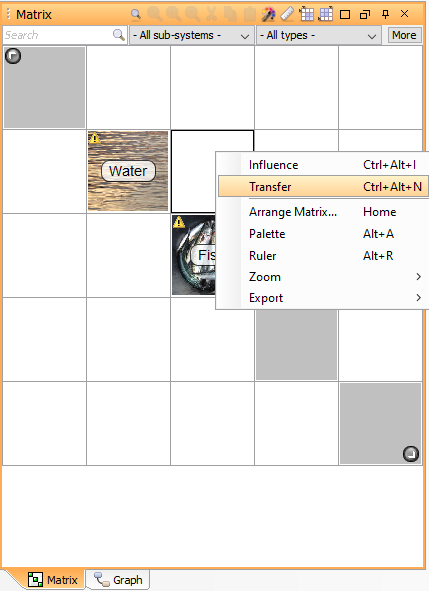
- Double-click the Transfer, or right-click it and select Edit from the pop-up menu.
- Make sure that the Properties tab is selected.
- Enter “Uptake” in the Name field.
- Enter “Uptake rate constant” in the Full Name field.
- Select the Values tab. In the table, in the Equation row, write “k_uptake” as value. When you press Enter and the “Unknown values” window appears, assign the unit “day^-1”. Click Ok (this results in the creation of the parameter k_uptake).
- Close the edit window by clicking Ok.
Creating the excretion transfer
- Right-click the off-diagonal cell in the Interaction matrix which is on the same row as the Fish Compartment and in the same column as the Water Compartment. Select Transfer from the pop-up menu.
- Double-click the Transfer, or right-click it and select Edit from the pop-up menu.
- Select the Properties tab.
- Enter “Excretion” in the Name field.
- Enter “Excretion rate constant” in the Full Name field.
- Select the Values tab. In the table, in the Equation row, write “k_excretion” as value. When you press Enter and the “Unknown values” window appears, assign the unit “day^-1”. Click Ok.
- Close the edit window by clicking Ok.
Next
Previous
References
tutorial_2-creating_transfers.txt · Last modified: by Boris Alfonso