Tutorial 7 - Creating a Transport model
Page 3 of 5
You will now try to replicate the results from the Compartment model with a Transport block. As the equations and parameters are the same, you can re-use the previous model.
Creating the model structure
- Save the previous project with a new name.
- Create a Transport block by right-clicking in the Blocks window and choosing Create | Transport.
- Expand the Transport block.
- Copy Transfer block with name Input and past so that it connects Source with Begin. You can do this either by dragging the block directly in the matrix to its new position, or by editing the block and changing the target property from Layer_1 to Begin.
- Copy the Transfer block Advection_1_2 and past so that it connects Begin with End. Edit the block and rename it to “Advection”.
- Copy the Transfer block Advection_3_Out and past so that it connects End with Out. Edit the block and rename it to “Advection_Out”.
- Create one more Expression, name it Flux_Out_2 and fill equation field with End*Advection_Out.
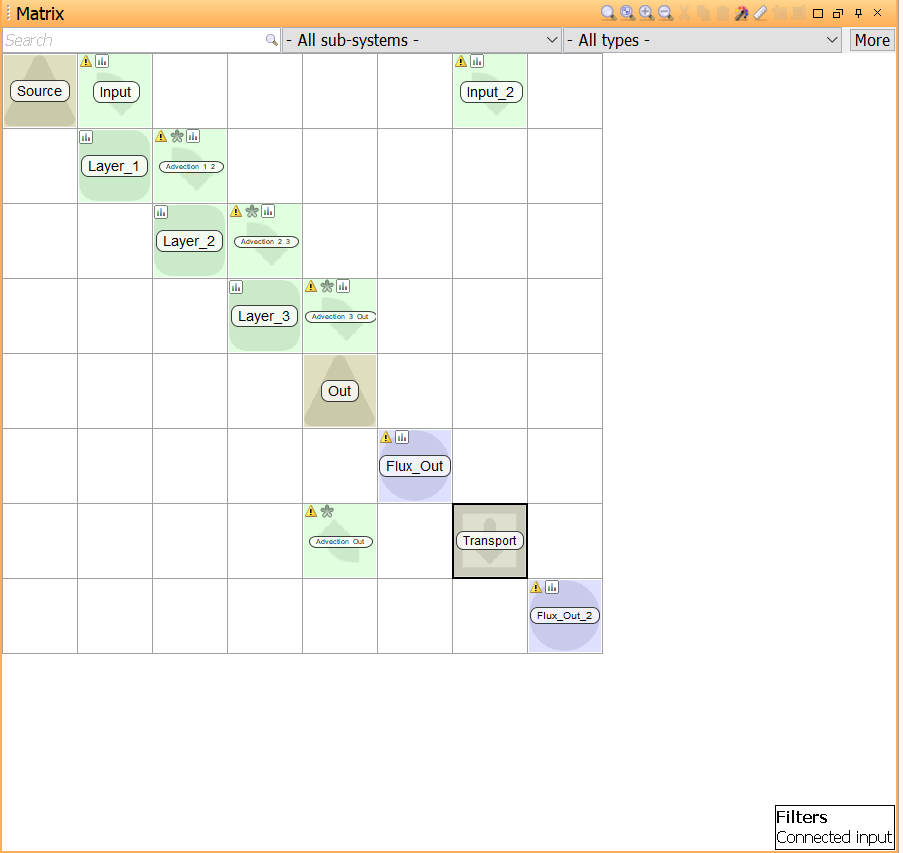
The number of discretizations is now determined by the built-in block Transport.N.
Assigning values
- Edit Transport.N. Change the value to “3”.
- Run a simulation. Do you get the same results as with the classic compartment model? Compare Flux_out and Flux_out_2.
- Try to run simulations and vary the value of N. What happens? Why?
- Save the project.
Solution to this part
Next
Previous
References