Tutorial 4 - Creating a custom index list
Page 2 of 5
In this lesson you will create a new index list with indices for different types of plants.
You will also create a new index list which maps to the Plants index list. This index list will be used for a parameter which has the same value for plants of a common type.
- Open the file from the previous exercise.
- Open the Index lists window.
- Right-click the window and select New | Index list from the pop-up menu. An Index list named “IndexList” will appear in the list.
- Right-click the new Index list and select Edit from the pop-up menu.
- In the Properties tab, change the name from “IndexList” to “Plants”.
- Select the Values tab. Click the Add button so that the table shows four indices. Click an index in the table to give it a new name.
- Name the indices:
- Pine
- Fir
- Wheat
- Oats
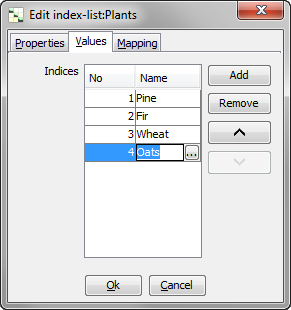
Click Ok to close the window.
Creating a mapped index list
- Right-click the window and select New | Index list from the pop-up menu.
- Right-click the new Index list and select Edit from the pop-up menu.
- In the Properties tab, change the name from “IndexList1” to “Plant types”.
- Select the Values tab. Add two indices to the index list and name them:
- Tree
- Grain
- Select the Mapping tab. From the Mapped index list drop down list, choose “Plants”.
- Map the indices according to the table below:
| From | To |
|---|---|
| Pine | Tree |
| Fir | Tree |
| Wheat | Grain |
| Oats | Grain |
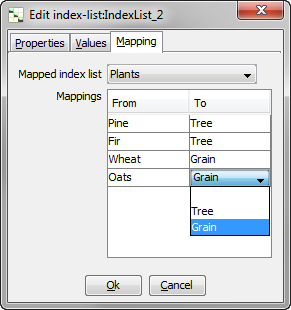
Click Ok to close the window.
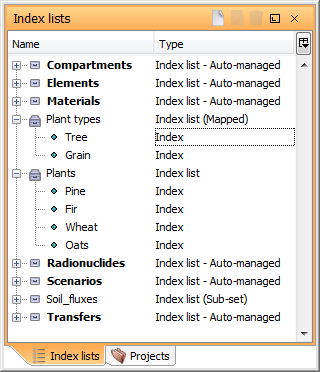
Next
Previous
References