Table of Contents
Material
“Material” is the term used in AFRY Intelligent Scenario Modelling to identify the modelled items, for example contaminants like radionuclides or chemicals. In other software and literature, material is sometimes referred to as “species”.
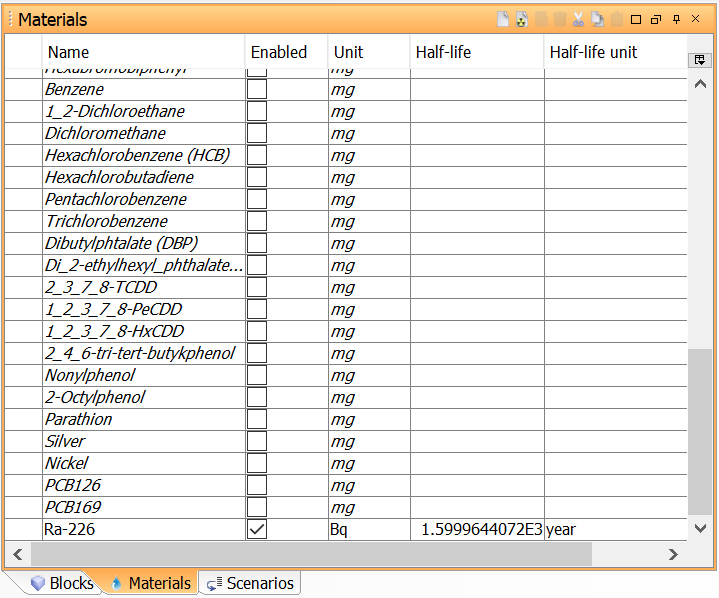
Image. View of Materials window with a list of materials added to a project.
Radionuclides (Special type of material in AFRY Intelligent Scenario Modelling)
A radionuclide is a special type of material which also has radioactive properties such as half life, element, atomic number etc. When you add radionuclides to your model, AFRY Intelligent Scenario Modelling will automatically handle nuclide decay and in-growth.
Note that the Radionuclide Toolbox is required to add radionuclides as material to your models.
Adding a new material
Materials can be created from the Projects window and from the Materials window.
From the Projects window
- Expand the Project to which you wish to add the material by clicking the + symbol next to it. Right-click on ‘Materials’, and select the type of material that you want from the pop-up menu. Select “New” to add a generic material. This will automatically activate the Materials window where you can define and edit the properties of your new material. The option “Radionuclide” is only available if your license includes the Radionuclide Toolbox.
From the Materials window
- Place the mouse anywhere over the area of this window and right-click. Select the sub-menu “Create” and choose the type of material you want, or
- Click on the
 button on title bar of this window to create a generic material, or the
  button to add a radionuclide. For more information avaliable here: Radionuclide and Radionuclide decay chain.

Adding a radionuclide
With the Radionuclide Toolbox you will be presented with another button  used to a add radionuclides. Clicking the button will display a window
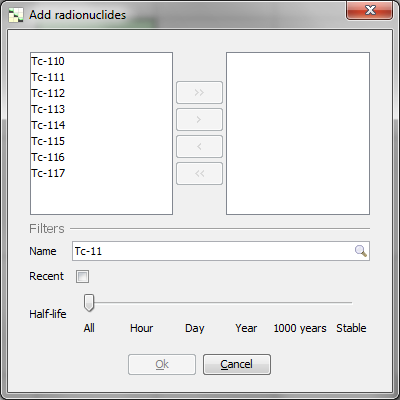
The list on the left hand side lists all isotopes that are available in the radionuclide database. You select one or more to add to your model by using the arrow buttons.
The Filters section allows you to search the database:
- Name - Enter the name, or part of the name, of an isotope
- Recent - Display only radionuclides which have been imported before
- Half-life - Display only radionuclides within a specific half life range.
One of the advantages with this window is that it allows you to add several radionuclides at the same time.
Editing materials
The material editor is shown by right-clicking the material in a window and selecting Edit. In the Materials window, you can also show the editor by selecting the material and clicking the  button, or by double-clicking the right-most “validation” column of the material in the table.
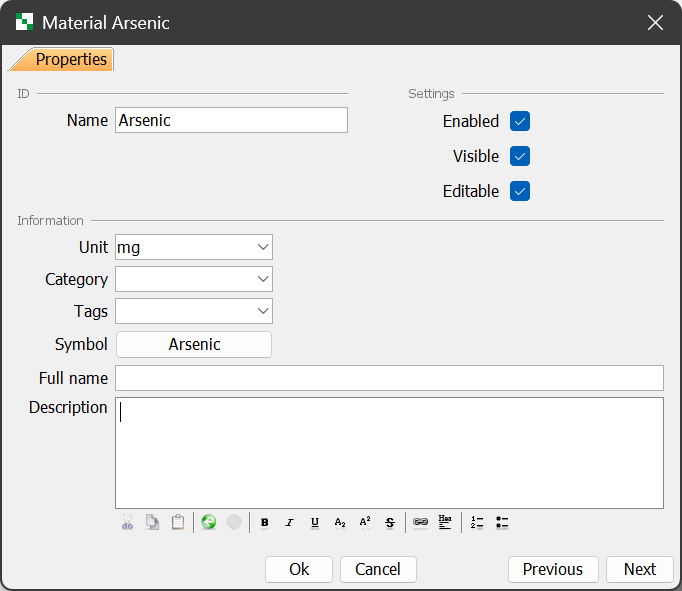
The material editor has one or two tabs:
Properties tab
This page lets you edit basic properties such as name and unit. See editing properties for more information.
Nuclide tab (only for radionuclides)
Mass number - The mass number of the radionuclide
Atomic number - The atomic number of the radionuclide
Decay properties
Half-life - The atomic half-life of the radionuclide. The Time unit drop down list can be used to select a unit for the halflife.
Disintegration constant - Lets you, as an alternative to enter the atomic half-life, enter the radionuclide decay constant.