Tutorial 5 - Using a general variable
Page 2 of 5
Ordered List Item
- Download the file soil_dose.eco and open it in AFRY Intelligent Scenario Modelling by clicking the
 button, or by selecting File | Open from the Menu bar.
 - The agricultural sub-system has a transfer named “Deposition”. The deposition rate is defined as a parameter, making it impossible to run a simulation with a time-varying deposition rate – for instance contamination during a limited time. You will create a General Variable that allows different ways of entering values for deposition.
- Open the sub-system Agricultural Land.
- Rename the parameter depRate to depRate_constant.
- Create a lookup table, call it depRate_lookup. Assign a default value of 0.
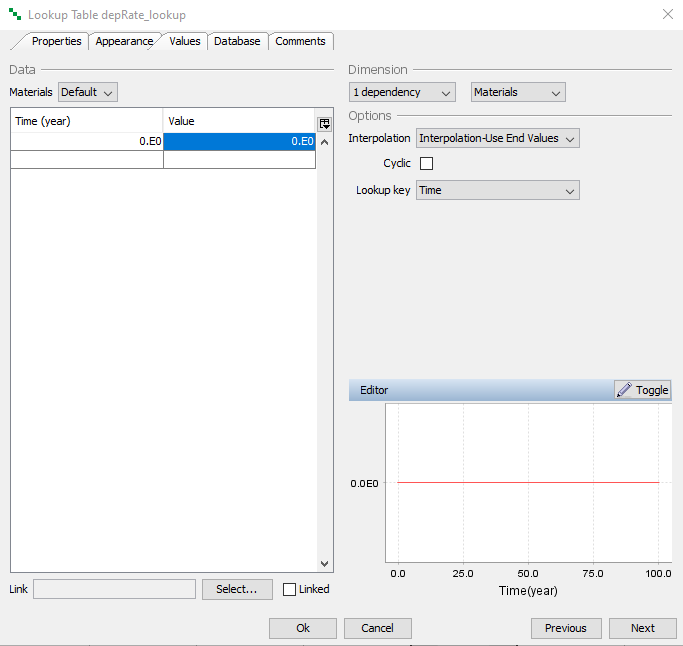
- Click Ok to close.
- Create a General Variable and name it “depRate”.
- Make the General Variable a vector (dimension 1-dependency)
- In the list Available objects, move the Parameter depRate_constant and the Lookup Table depRate_lookup to the selected list using the > button.
- Select the depRate_constant in the -Default- Selected field above.
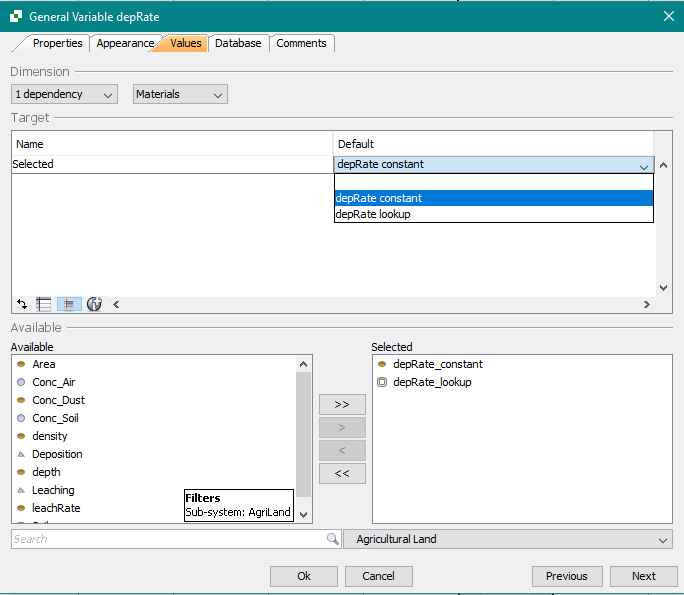
- Click Ok to close.
- Edit the Transfer Deposition. Choose the Values tab. Replace the Parameter depRate_constant with the General Variable depRate in the Expression field.

Next
Previous
References